 HackingPassion.com
Windows Hands Your Name to the Police Through One Hidden Number
Ethical Hacking Complete Course Zero to Expert
Hack like black hat hackers. Penetration testing, Kali Linux, WiFi and web hacking, and the hacker mindset behind it.
→ Take the full courseYou are completely anonymous and think no one can trace you. But Windows put a permanent number on your machine, it never turns off, and that number is where the police start when they want your name. That is exactly how the FBI just caught a 19-year-old hacker who thought he had covered every track.
On July 1, US prosecutors in Chicago made their case public against a 19-year-old named Peter Stokes, who holds both a US and an Estonian passport. They say he runs with Scattered Spider, one of the biggest crews in cybercrime, the kind that breaks into companies and then demands money to leave them alone. He has not been found guilty of anything, and under the law he stays innocent until a court says otherwise.
The charge against him is a break-in at a luxury jewelry company in May 2025. His group phoned the company’s IT help desk, pretended to be staff who were locked out, and got real employees to reset passwords for them. From there they walked into the network, copied company files, and demanded around eight million dollars. The part that matters here is not the ransom or the arrest. It is the single number that pointed straight at the computer he was sitting behind.
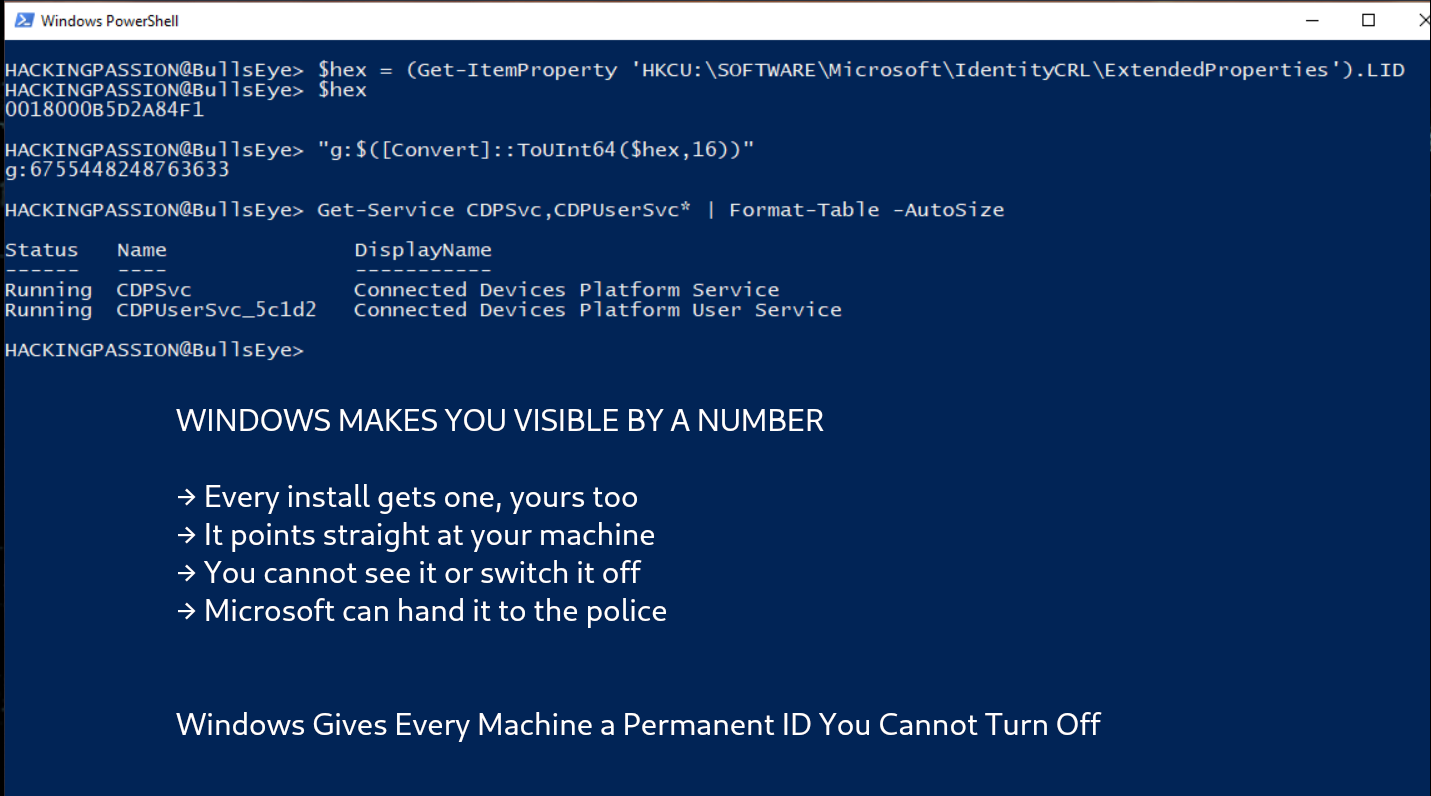
When you install Windows and sign in, Microsoft hands that copy of Windows its own number. It stays the same while Windows updates, month after month. The name for it is a Global Device Identifier, or GDID. In the court papers the number is printed in full, g:6755467234350028, and it belongs to the machine the investigators say Stokes was using.
The number gets made the moment your machine signs in with a Microsoft account. A background program asks Microsoft’s servers for an ID and tucks it away in the registry, the big settings database inside Windows. That program is called wlidsvc, the part of Windows that handles your Microsoft account sign-in.
Then a second program picks up that number and adds your machine to Microsoft’s shared list of devices. That program is the Connected Devices Platform, or cdp.dll. That list is called the Device Directory Service, and it is what lets Phone Link, cloud clipboard, and picking up a browser tab from your phone actually work.
So the number that links your phone to your laptop is the same number that points straight back to your machine. Microsoft even lists it in its own reports, sitting right next to your city, your internet provider, and the last time your device checked in.
None of this is new. This number has been part of Windows since Windows 10 came out in 2015. It hardly showed up in any documentation until about 2021, so it sat quietly inside the system for years, and it took this court case to drag it into the open.
The investigators built their case around that number. Microsoft’s records showed the machine with that GDID opening the signup page for a tool called ngrok, at 19:21 UTC on May 12, 2025. Ngrok is a normal tool that lets you reach a computer sitting behind a firewall, and attackers lean on it a lot. That moment, 19:21, was the exact minute the attack account was created. A few hours later the same machine reached the jewelry company’s website through the same proxy. And then it kept happening. That number turned up again and again on the same internet addresses, at the same times, as the Snapchat, Apple, and Facebook accounts the prosecutors say are his. First in Tallinn, where he lived. Then New York. Then Thailand. Each place matched his travel records and the hotel photos he posted from those same cities.
He ran a VPN while all of this was happening. A VPN swaps out the address the outside world sees, so it hides where your traffic looks like it comes from. But it never touches the number sitting inside Windows.
Once the story spread, two claims went around fast, and both are wrong. The first said the number is a 128-bit code built from your hardware serial numbers. It is not. It is a 64-bit number that Microsoft’s servers hand out, and a clean reinstall of Windows gives you a brand new one. That could not happen if the number were baked into fixed parts like your graphics card.
The second claim was that you stay clear of the number if you skip the Microsoft account and log in with a local one instead. That one is shakier than it sounds. A researcher took the system apart on a live Windows 11 machine and found a hidden path inside the Connected Devices Platform that can hand out a number even without an account. So a local login may not keep you out of it either. Nobody has proven that part for certain yet, so treat it as an open question.
Want to see your own number? You can pull it straight from the registry, and you do not even need administrator rights. Open PowerShell and run this:
| |
That gives you a block of hexadecimal. Turn it into a number and you get the same g: format that shows up in the court papers.
So what can you do about it? One warning first. None of these steps wipes the number away. They only cut down how much your machine sends out and syncs, and the number itself stays as long as you keep signing in with a Microsoft account.
- → Stop the two Connected Devices Platform services,
CDPSvcandCDPUserSvc. That shuts off the syncing and the uploads that carry the number. You find them inservices.msc, and you can switch them back on later, so make a restore point first. Phone Link, Nearby Sharing, and shared clipboard will stop working, and on some machines Bluetooth and printers act up too. - → Turn off Activity History under Settings, Privacy, Activity history. That stops your machine from sending up a running list of what you have been doing.
- → Set diagnostic data to the minimum under Settings, Privacy and Security, Diagnostics and Feedback. That lowers what gets sent out, but it leaves the number itself alone.
- → Deleting the local folder
%LOCALAPPDATA%\ConnectedDevicesPlatformdoes nothing on its own. The number just comes straight back from where it is stored in the registry. - → A clean reinstall gives the machine a new number. But it grabs a fresh one the second it signs back into a Microsoft account, and that new number can still be linked to you through the same account, so a reinstall may not break the trail.
- → Moving to a stripped-down Windows or a system that is not Microsoft at all takes you off this number for good. The trade-off is you lose the handy features that link your devices together.
The uncomfortable part is not the number by itself. It is how little say you have over it. Microsoft has never spelled out in public when it will hand this number to the police. There is no button to switch it off, and the company never says how often it gets asked for it. The number sits on your machine, Microsoft keeps the records, and the decision to share them happens somewhere you cannot reach.
This is not only a Microsoft habit. Apple keeps its own fixed numbers, like a hardware UUID and a DSID tied to your iCloud account. Linux has a machine-id. So switching away from Windows swaps one number for another. It does not hand you a machine with none.
VPNs and proxies hide your network traffic. They do nothing about the number sitting on your machine. Stokes covered the first and left the second wide open.
This gap, hiding your network but not your machine, is one of the things I teach in my ethical hacking course. A full section takes you through staying anonymous: setting up VPNs, changing your MAC address, chaining proxies together, and sending your traffic through Tor, then testing whether any of it actually holds up. You also learn how networks move data, and how an investigator works backwards from a single connection to the person behind it. That is the skill sitting under this case:
→ Join my complete ethical hacking course
Hacking is not a hobby but a way of life.
Sources: U.S. Department of Justice | Microsoft Learn | GDID Reversal Research
Stay updated
Get the latest posts in your inbox every week. Ethical hacking, security news, tutorials, and everything that catches my attention. If that sounds useful, drop your email below.