 HackingPassion.com
Google API Keys Keep Working for 23 Minutes After You Delete Them
Ethical Hacking Complete Course Zero to Expert
Hack like black hat hackers. Penetration testing, Kali Linux, WiFi and web hacking, and the hacker mindset behind it.
→ Take the full courseGoogle tells you the key is gone. It keeps working for 23 more minutes. When you delete a Google API key, a dialog appears that says the following: “Once deleted, it can no longer be used to make API requests.” That is the message. It is printed there by Google, presented as fact at the exact moment you think the risk is gone. It is not true.
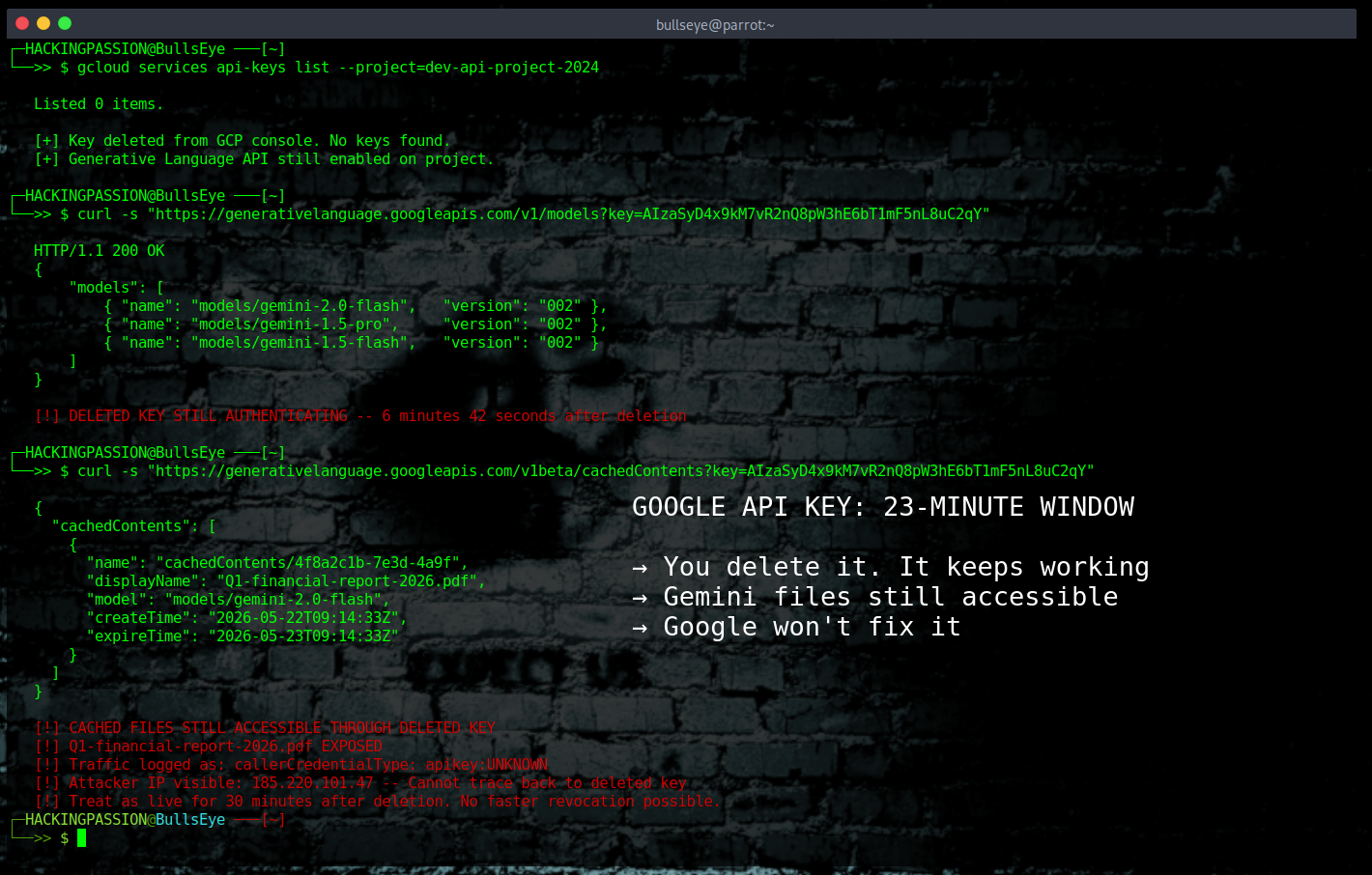
Security researcher Joe Leon at Aikido Security spent two days testing what actually happens after a key is deleted. He created keys, deleted them, and kept firing authenticated requests at Google’s servers at three to five per second until no valid response came back. He ran ten separate trials. The shortest window before a deleted key fully stopped working was nearly eight minutes. The median was sixteen minutes. The longest was just under twenty-three minutes. During all of that time, the key was authenticating successfully on Google’s infrastructure. A deleted key. Still working.
Google was told about this. Google closed the report as “won’t fix.”
It helps to know what a Google API key actually is. It is a string of characters that lets software talk to Google’s services. Developers use them to connect applications to things like Google Maps, BigQuery, or Gemini. When an application sends a request to a Google service, the key identifies which project that request belongs to and whether access should be granted. If that key leaks, whether through a code repository, a screenshot, a misconfigured server, anyone who has it can use it to make requests as if they are the legitimate owner.
The standard response when a key leaks is to delete it immediately. That is the incident response playbook. Delete the key, cut off access, investigate what happened. The assumption behind that playbook is that deleting the key ends access. Leon’s research shows that assumption is wrong by up to twenty-three minutes.
Google runs servers across the entire world. When a key is deleted, that deletion does not arrive at every server at the same moment. It travels through Google’s network gradually, server by server, until they all catch up. Google has a name for this: eventual consistency. For most things it does not matter. For authentication, it matters a lot.
An attacker holding a stolen key after the owner has deleted it can keep sending requests to Google’s infrastructure. Some servers will reject the key immediately. Others will keep accepting it for up to twenty-three minutes. The attacker just keeps trying until one reaches a server that has not caught up yet. Leon tested this across three Google Cloud regions simultaneously, running VMs in us-east1, europe-west1, and asia-southeast1, and found that in the first minute after deletion, one trial showed 82% of requests from the US succeeding while only 32% succeeded from Asia. The inconsistency runs across geography too, and nobody can predict from the outside which server is still accepting a deleted key at any given moment.
Twenty-three minutes is also the measured window under controlled conditions. Aikido deliberately kept their request rate low out of respect for Google’s infrastructure. An attacker has no reason to do the same. Whether a higher request rate would push the window further is something nobody has tested publicly.
If Gemini is enabled on the project, that twenty-three minute window is enough to pull uploaded files and cached conversations out of the account. The same window applies to BigQuery, Google Maps, and any other API enabled on that project. The key has been deleted. The console shows it is gone. The data is still moving.
There is a second problem, and it makes things worse. After a key is deleted, any requests made with it do not disappear from Google’s logging system. They show up in the GCP console under a label called apikey:UNKNOWN. The problem is that every deleted key across every project gets bundled into that same category. If an attacker is actively using a key during the revocation window, the traffic shows up in the same bucket as any other request from any other old deleted key. You cannot tell from inside the console whether what you are seeing is an attacker in progress or background noise from an outdated key in some other service. The visibility during the exact window when you need it most is near zero.
Part of why this happens is that Google does not actually delete keys immediately. When a key is removed from the console it goes into a soft-deleted state, sitting quietly in the background in case the owner wants to restore it. Google’s console even has a “Restore deleted credentials” button for exactly this purpose. The key is gone from view, but it is not gone from Google’s systems. That soft-deleted state is what keeps the key alive long enough for some servers to keep accepting it.
Google has solved this problem for other credential types. Service Account keys, the stronger credentials that let servers talk to each other directly, are revoked in about five seconds. The newer API key format built specifically for Gemini, which you can recognize by the AQ prefix at the start of the key, revokes in about one minute. Both of those run on Google’s infrastructure at Google’s scale. The architecture is there. The capability exists. Standard API keys just do not benefit from it, and Google has declined to fix it.
This is not the first time something like this has surfaced with Google API keys. In February 2026, researchers at Truffle Security published a finding that caught many developers off guard. Google API keys, the same credential type used for Maps, Firebase, and similar services, had silently gained the ability to authenticate with Gemini endpoints whenever the Generative Language API was enabled on a project. A developer who had deployed a Maps key in their public JavaScript years earlier, before Gemini existed, could find that same key now granting access to uploaded files and AI-generated conversations. The developer got no warning, no email, no indication that anything had changed.
The part that makes this particularly difficult to accept is what Google’s own Firebase documentation said at the time. It instructed developers explicitly that API keys are not secret and that embedding them in client-side code is safe. The exact language: “API keys for Firebase services are not secret. You can safely embed them in client code.” Developers who followed that instruction to the letter were now exposed through no fault of their own. The documentation did not update until the day Truffle Security went public.
Truffle Security found 2,863 keys with this exposure sitting on publicly accessible websites, each individually verified against the Gemini API. Researchers from Quokka later found more than 35,000 hardcoded in Android applications, though those were not individually tested against Gemini endpoints, meaning the actual vulnerable count depends on which projects had the Generative Language API enabled. At least one developer reported a bill of $82,314 in unauthorized Gemini API charges accumulated in forty-eight hours from a single compromised key. Google’s initial response to the Truffle Security report was two words: “Intended Behavior.”
The pattern is consistent. A key leaks. A developer deletes it. The deletion UI says it is done. The key keeps working. The developer has no way to know when it actually stops.
The comparison with AWS is worth making directly. A similar revocation delay in AWS credentials was disclosed by researcher Eduard Agavriloae last year. The AWS window was about four seconds. AWS acknowledged the findings and made partial fixes. Google’s window is twenty-three minutes, and Google called it a known property of the system, not a bug, and closed the report.
What to actually do
The first thing is to stop treating key deletion as an instant action. When a Google API key leaks, the key needs to be treated as live for thirty minutes after clicking delete. If deletion is part of your incident response plan, that plan assumes something that is not true.
During that window, monitoring is the only tool available. Under “Enabled APIs and services” in the GCP console, review API requests by credential. If valid requests are still coming through after deletion, access is still happening. There is no mechanism to force faster revocation. There is no button that accelerates the propagation. You watch and wait.
To list all API keys on a project and check their current state:
| |
To check whether the Generative Language API, the one that gives a key Gemini access, is enabled on a project:
| |
If that command returns a result, every unrestricted API key on that project can reach Gemini. That is the window an attacker exploits.
After revocation, the indicators to verify:
- → Check the GCP console for any activity under
apikey:UNKNOWNduring and after the deletion window - → Review billing anomalies, a compromised Gemini-enabled key can rack up charges fast
- → Check which APIs were enabled on the project the key belonged to
- → If Gemini was enabled, assume uploaded files and cached conversations were accessible during the window
A few things help going forward:
- → Restrict API keys to specific APIs rather than leaving them unrestricted. A Maps key should not have access to Gemini. Restrictions are set under APIs and Services in the GCP console. To add a restriction via CLI:
| |
- → Move anything important over to Service Account keys, where revocation happens in about five seconds
- → Starting June 19, 2026, Google will stop accepting unrestricted API keys for the Gemini API. Restricted keys will continue to work, but unrestricted ones will be blocked.
- → Check whether any keys in your project carry the
AQprefix. Those are the newer Gemini-specific format and revoke in about one minute. - → Use the Google Cloud console to audit which of your keys have access to the Generative Language API. That is the API that enables Gemini access on a key.
If an API key has already been compromised and the twenty-three-minute window has passed, the ongoing risk drops significantly. The window closes. But if you are inside that window during incident response, the credential is still live somewhere in Google’s infrastructure, and there is no way to know which server is still accepting it.
Google runs infrastructure at a scale that is genuinely hard to synchronize instantly. That is true. But the dialog box does not say “this may take a few minutes.” It says the key can no longer be used. That is not a footnote. That is what Google tells you at the exact moment you trust it most.
The course covers API key security from the ground up, how credentials get stolen once an attacker is in, how they stay hidden, and what most defenders miss. All of it hands-on, step by step:
Hacking is not a hobby but a way of life. 🎯
Sources: Aikido Security | Truffle Security | Google Firebase
Stay updated
Get the latest posts in your inbox every week. Ethical hacking, security news, tutorials, and everything that catches my attention. If that sounds useful, drop your email below.