 HackingPassion.com
Dorks Eye finds what was never meant to be public
Ethical Hacking Complete Course Zero to Expert
Hack like black hat hackers. Penetration testing, Kali Linux, WiFi and web hacking, and the hacker mindset behind it.
→ Take the full courseDorks Eye finds what was never meant to be public
I created Dorks Eye because I had a question. What if I could do all my dork searching straight from the terminal, fast, and without a browser or ads getting in the way?
That is how it started. The first version searched through Google only. You typed in a dork, the right results came back, and it did exactly what I wanted. Then Google tightened its policy on automated searches, and the tool stopped working. The one thing it was built for, speed and simplicity, was gone. Everything was gone.
Recently I rebuilt it. Instead of leaning on Google alone, Dorks Eye now searches through five engines, with Yandex among them. There is a fair amount of censorship and filtering across all of them, in Google as much as the rest, and for years I have watched search engines quietly drop results from what they show you. Different engines hold back different things. Running five of them, including one that sits well outside the usual Western index, is how you reach the results a single engine keeps from you.
These days Dorks Eye works as an ordinary search engine too, only you run it from your terminal, and you can save everything it finds straight to a file. And I am not finished with it, there is more I want to build into the tool in the future.
Hackers love the terminal
“You are a hacker. Your home is the terminal. You work on several projects at once, You know every keystroke is valuable. With just some commands, you can automate tasks, install your favorite software, view a whole network, find vulnerabilities on just about anything connected to the internet, compile a script, create additional user accounts, properly configure anonymity software, and optimize our interactions with terminals. When you search for something, it should be blazing fast. If something is less than 100% efficient, you will spend hours figuring out the right way to save yourself seconds.”
Most people open a search engine to look up a recipe, read the news, or check the opening hours of a shop. That same search box can also surface things that were never meant to be online. Nobody broke into anything to make them show up. A search engine crawled them, and nobody told it not to.
A search like that, one that uses advanced operators to pull out something this specific, is called a dork. That is exactly what Dorks Eye runs.
What you can find with a dork
- → Admin login panels sitting wide open
- → Config files with the database password still in them
- → SQL dumps full of usernames and password hashes
- → Log files that recorded credentials in plain text
- → Backup folders left open for anyone to browse
- → Internal documents and email lists that slipped into the index
- → Cameras and devices online with no login at all
None of this requires breaking in anywhere. It is already indexed and reachable by anyone with the right search.
What a dork actually is
A dork is a search query built from advanced operators. Things like filetype:, inurl:, intext:, and intitle:. Each operator narrows the search down to a specific kind of result instead of a general page about a topic. The web can be crawled by anyone, and a search engine indexes a site automatically. Unless a page is explicitly blocked from indexing, through robots.txt or a nofollow rule, all of that content can be pulled back with the right query.
I wrote a separate article a while ago that goes deeper into the operators themselves.
https://hackingpassion.com/google-dorks-an-easy-way-of-hacking/
The five search engines
Each of the five has its own index and its own strengths, and you pick which one to use:
- → DuckDuckGo, reliable and privacy focused
- → Bing, fast and consistent with its results
- → Google, still here, but often blocked by bot detection, so results vary
- → Brave Search, privacy focused, with its own independent index
- → Yandex, a different index that often surfaces results the others miss
Send too many searches through one engine in a short time and it starts throwing captchas at you, or blocks your IP for a while. That is where having five pays off. When one of them blocks you, you move to the next and keep searching. It is called Google Dorking out of habit, but a dork is just a search query, and a search query works on any engine.
How the tool works
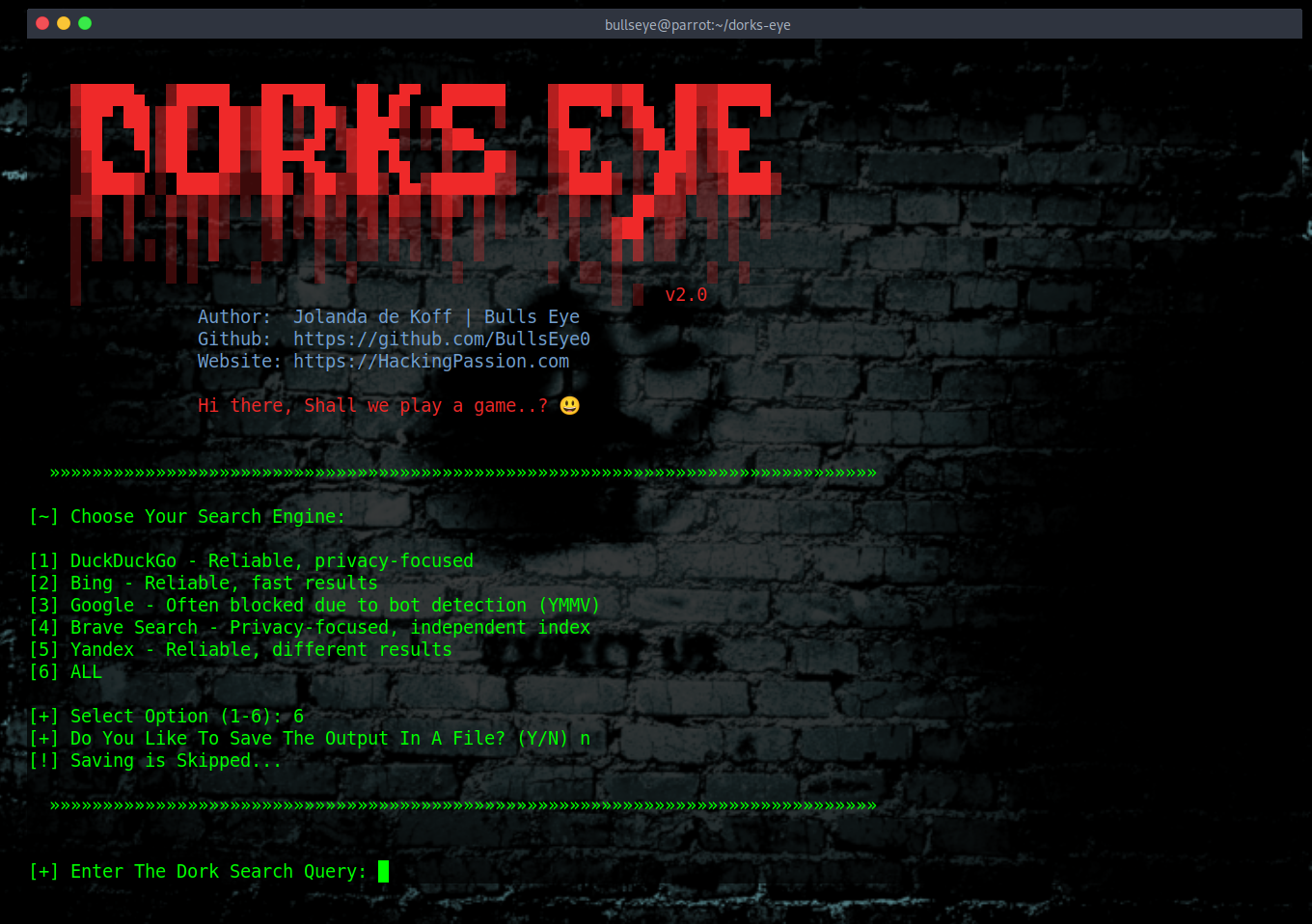
When Dorks Eye starts, it asks which search engine to use:
| |
Pick a number from 1 to 5 for a single engine, or choose 6 to run the same dork through all five, one after the other. Option 6 is the one to reach for when you want the widest possible coverage, since each engine has its own index and they do not all return the same thing.
After that it asks whether you want to save the output to a file. Say yes and you give the file a name, and every result gets written to a .txt file as it comes in. Say no and the results only appear in the terminal.
Then you type your dork and say how many results you want back. The tool runs the search and prints the links, numbered, one per line, with nothing extra around them. That is on purpose. When you are scanning for something exposed, a clean list of full URLs lets you spot a problem in a single glance, without ads or snippets getting in the way.
There is a small built-in delay between results, and a longer pause between engines when you run more than one at a time. That spacing keeps the requests from arriving too fast, which is exactly what sets off captchas and blocks in the first place.
Installing Dorks Eye
Dorks Eye is written for Python 3 and runs on:
- → Kali Linux
- → Parrot Security OS
- → BlackArch
- → Windows
- → Termux on Android
This list keeps growing.
One thing about the install has changed. Recent versions of Kali and Parrot now protect the system Python, so you can no longer pip-install packages straight onto the system. Tools go into their own isolated environment instead. It sounds like extra work, but it comes down to two commands, and it keeps the dependencies for Dorks Eye from clashing with anything else on the machine.
Start by cloning the repository:
| |
Create a virtual environment and activate it:
| |
On Windows that last line is:
| |
Install the requirements:
| |
And run it:
| |
When you are done, step back out of the environment with:
| |
That is all.
Termux
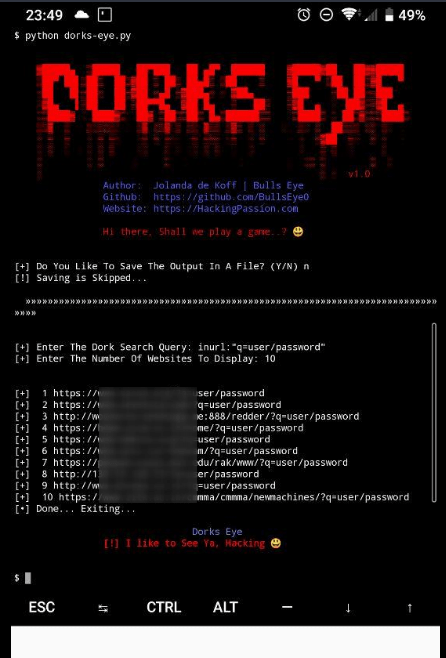
Dorks Eye runs on Android through Termux as well:
| |
Termux uses python3 as standard, so you start it with:
| |
Some dorks to try
A few examples to show what a dork looks like in practice.
This one looks for log files that ended up indexed with passwords inside them:
| |
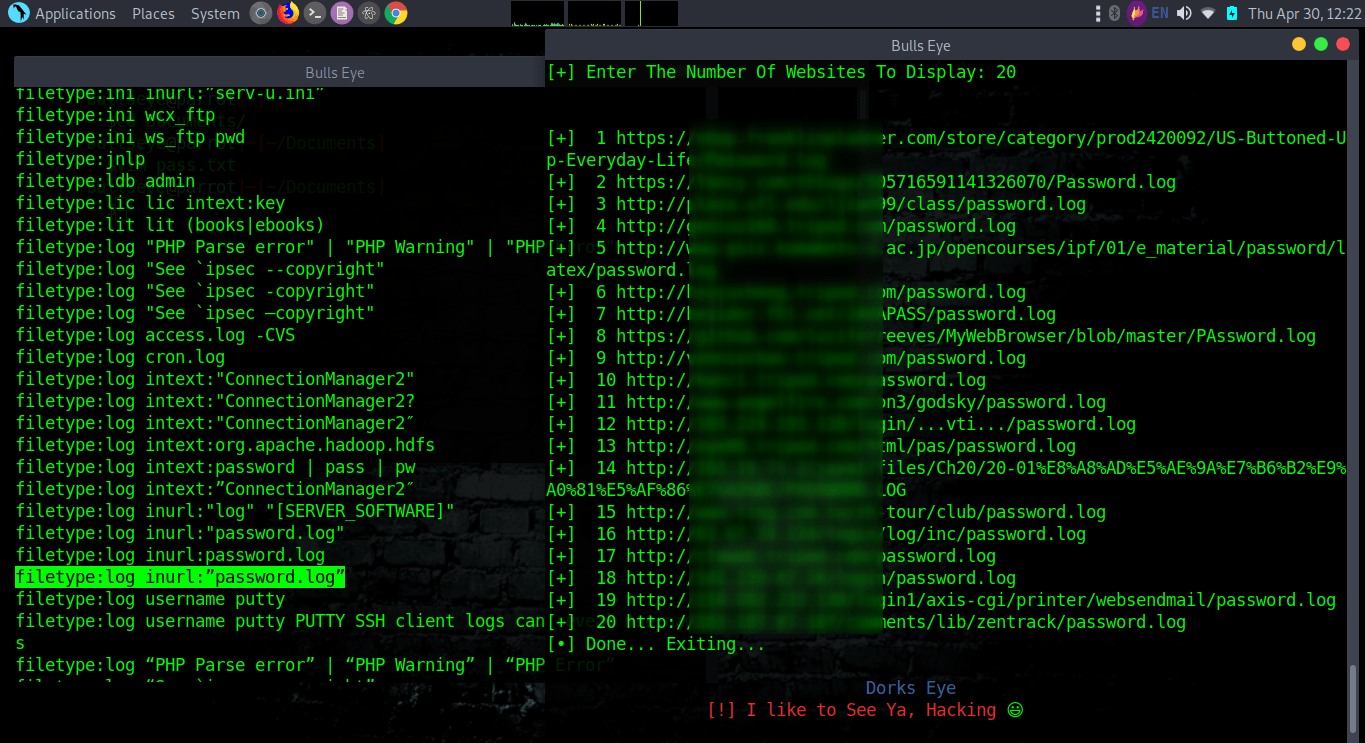
Storing login details in a plain log file is exactly the kind of mistake a dork turns up.

This one goes after SQL dumps that still contain usernames and passwords:
| |
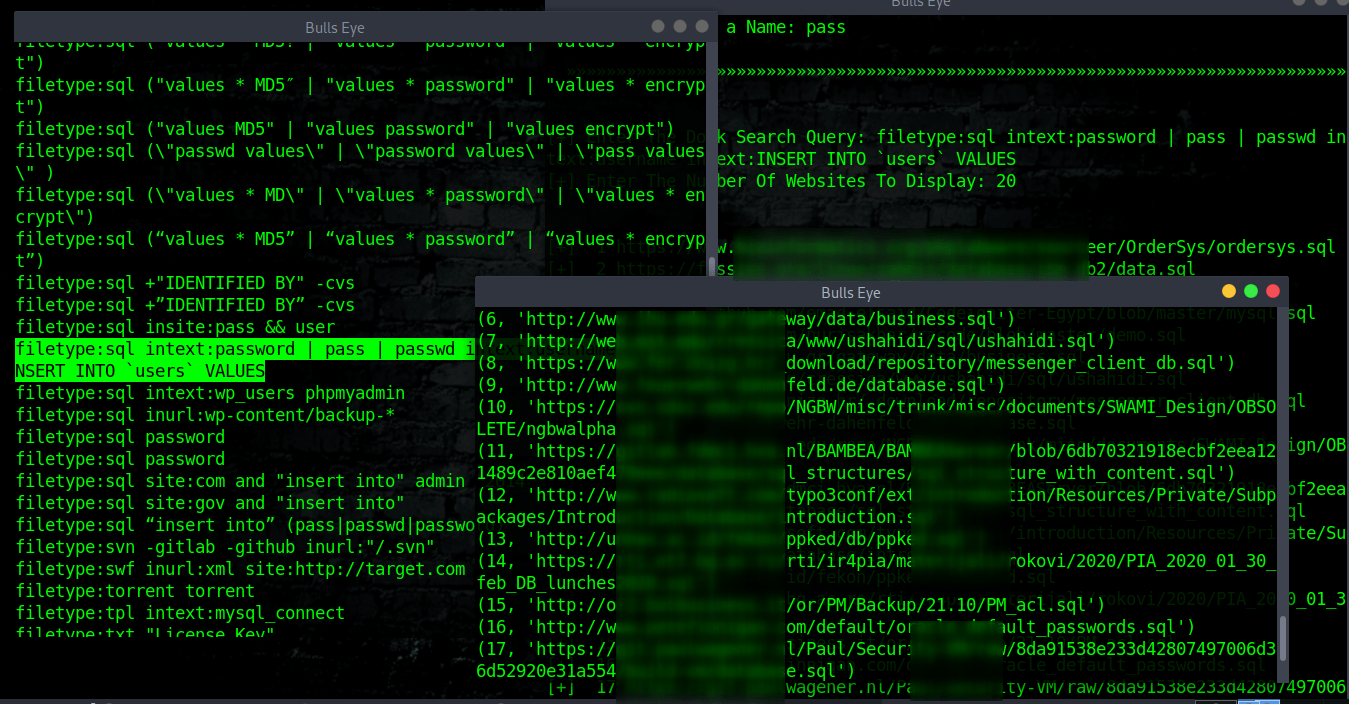
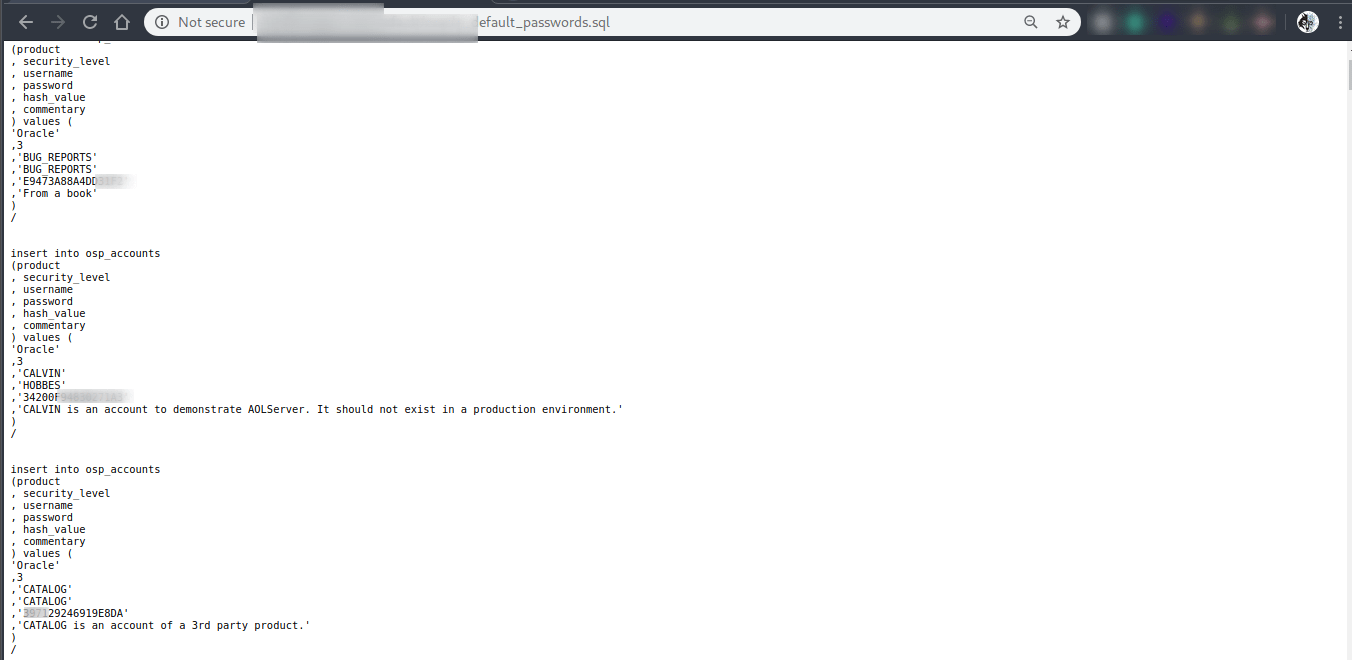
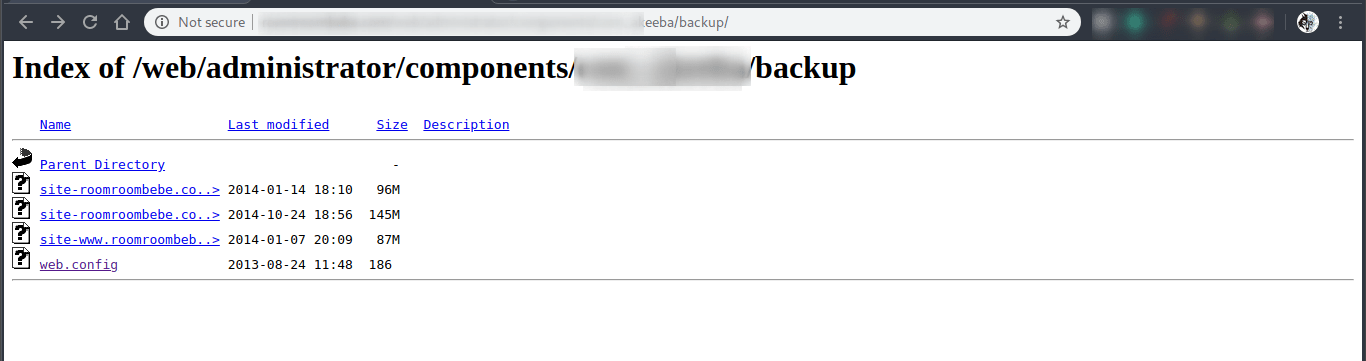
And this one looks for open directory listings that still have a web.config file inside them:
| |
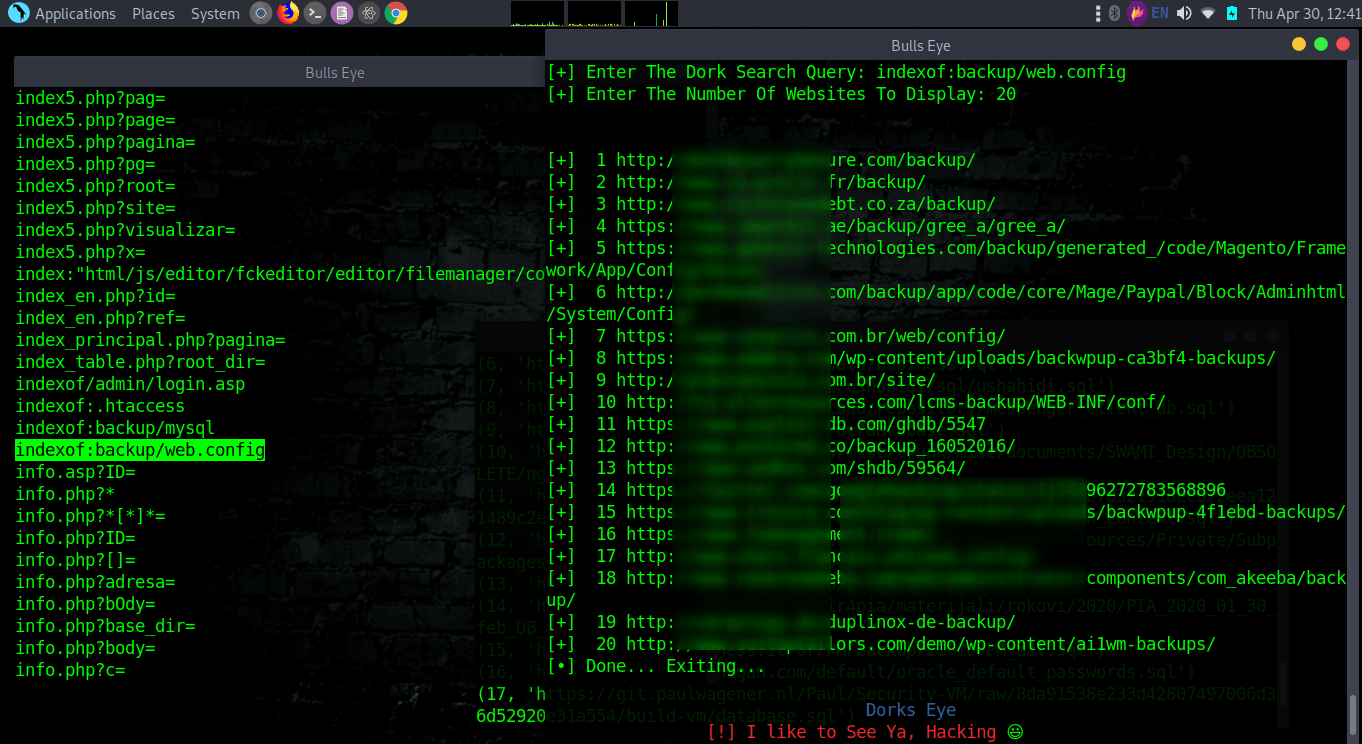
Leaving a config file somewhere a search engine can list it is a bad idea.
Getting around blocks with proxychains
Run enough searches and a search engine will eventually decide you look like a bot. With Google you tend to see HTTP 503 errors, and your IP gets blocked for a set period. The five engines in v2.0 already help here, since you can move to a different one the moment you get blocked.
If you want to stay on the same engine anyway, route your traffic through proxychains so the requests come from different addresses. On Debian-based systems you install it with:
| |
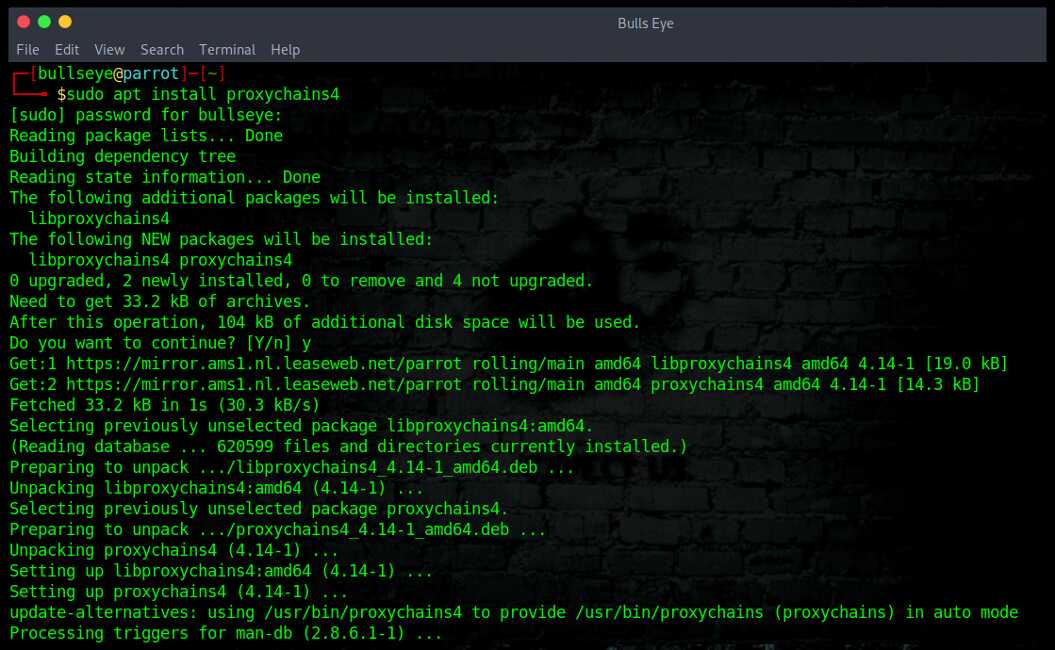
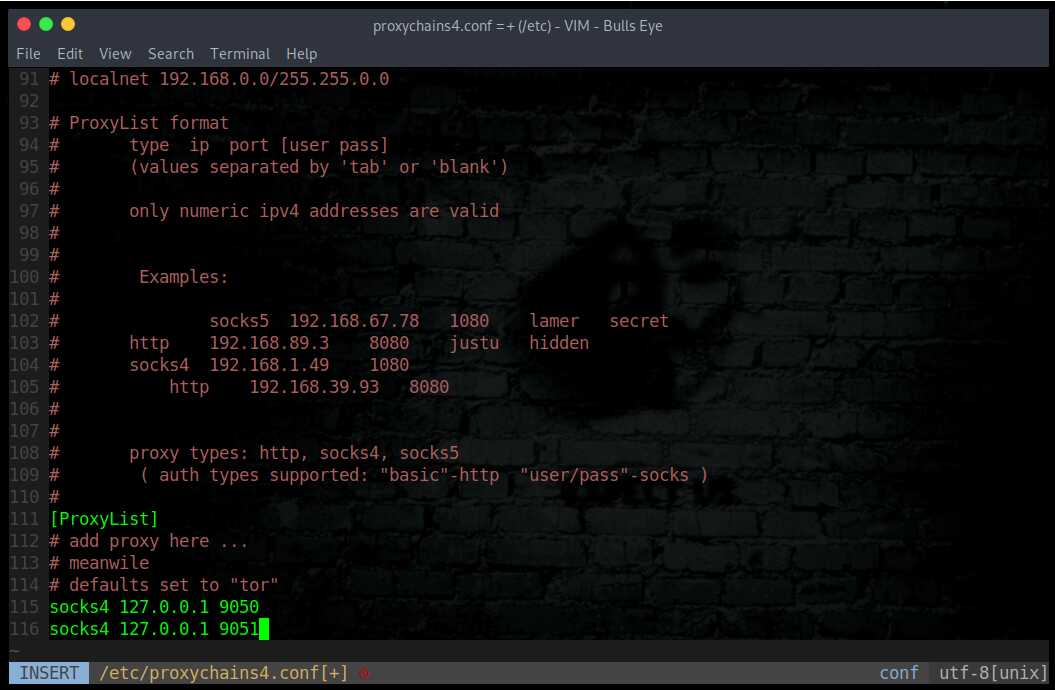
Then edit the configuration file so the lookups get spread across different proxy servers. The example below sets up two dynamic socks proxies on separate local ports, 9050 and 9051:
| |
Routing through Tor is another way to do it. I wrote a full walkthrough here: Install Tor on Windows, (Kali) Linux and search the dark web. AnonSurf works too, and I cover how to set that up in this article.
A ready-made list of dorks
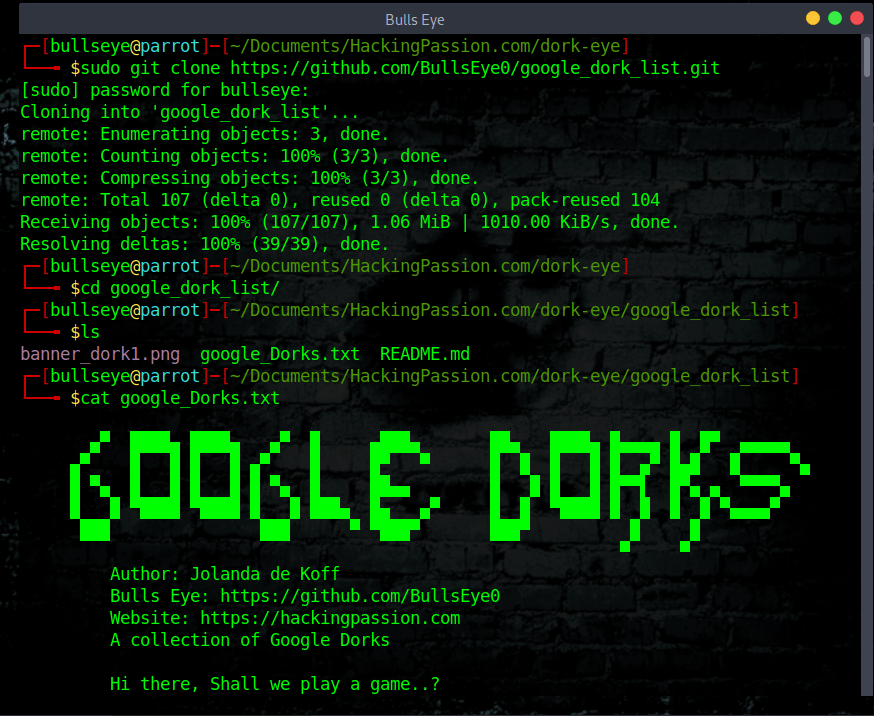
You do not have to think up every dork yourself. I keep a list of 13,760 dorks on GitHub, sorted and updated regularly, and they work across all the search engines Dorks Eye supports.
Clone it to your machine like this:
| |

Video
The walkthrough below is an earlier version of Dorks Eye, recorded on Odysee.
There is a reason it lives on Odysee and not on YouTube. YouTube has taken videos about this kind of thing down before, and one of those takedowns grew into a strike. I cannot say for sure whether that was what got my previous YouTube channel banned, it was a long time ago, but I would not be surprised if it was.
Losing that channel hit hard. I lost an enormous number of subscribers overnight, and it was one of the things that made me want to give it all up. For years afterward I barely touched the groups and pages I had built. The hacking side of things went quiet for a long while, and it went quieter still when I lost my Facebook account on top of it.
However you use Dorks Eye, as a plain search engine or to run dorks, I hope you get a lot out of it and have real fun doing it. Stay curious, keep asking how things work, and do not let anyone talk you out of learning. That curiosity is what started all of this, and it is what keeps me going.
Download Dorks Eye:
The full dork list:
Want to master tools like this hands-on? My complete ethical hacking course covers reconnaissance, scanning, exploitation, web application hacking, WiFi attacks, privilege escalation, and more. Hands-on, no books, built around real tools including Dorks Eye:
Hacking is not a hobby but a way of life. 🎯
Stay updated
Get the latest posts in your inbox every week. Ethical hacking, security news, tutorials, and everything that catches my attention. If that sounds useful, drop your email below.