 HackingPassion.com
Anon Eye
Ethical Hacking Complete Course Zero to Expert
Hack like black hat hackers. Penetration testing, Kali Linux, WiFi and web hacking, and the hacker mindset behind it.
→ Take the full courseEverything that leaves your terminal carries your own address. An apt update, a quick curl, a scan you fire off without thinking: your provider sees it, and so does the other side of the connection.
Tor Browser covers one window. Your package manager, your scripts and your scanners keep going out the way they always did.
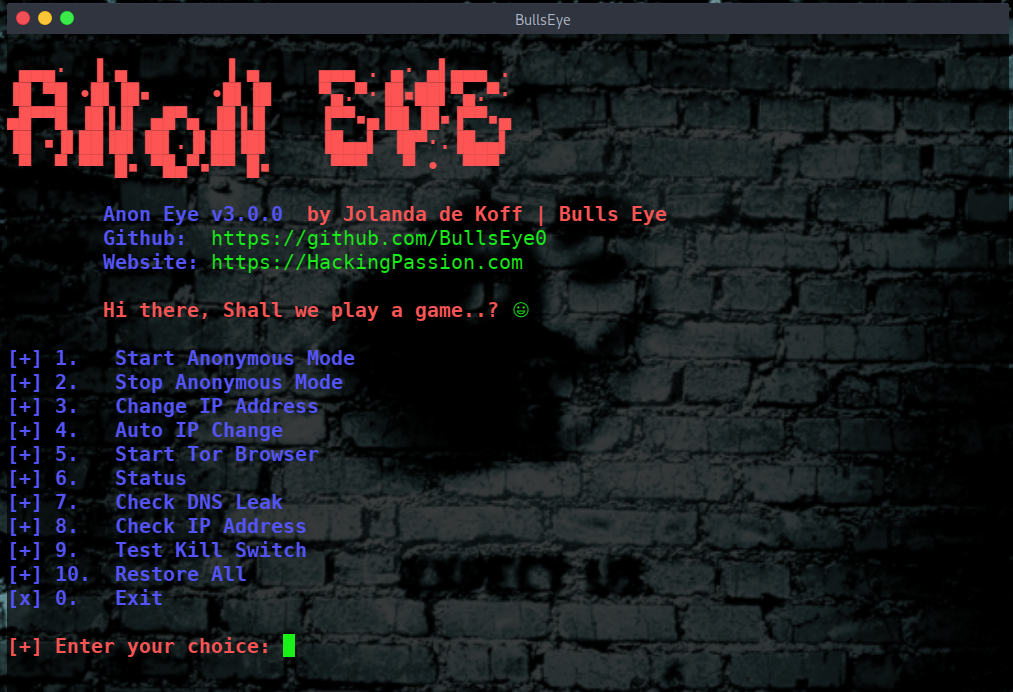
Anon Eye takes the machine. I wrote the first version years ago, because the tools that were around did not do what I needed. That was AnonSurf Eye. This is v3, rebuilt from scratch and tested on Kali and Parrot.
Start it and what leaves over TCP goes into Tor, your name lookups go to Tor’s own resolver, and with Tor down nothing gets out at all. Stop it and your machine is as you left it.
| |
Getting it on the machine
| |
The sudo is not optional. The tool writes firewall rules and restarts a service, and a normal account may do neither. Run it from your own account and not from a root shell. It has to know who you are when it puts Tor Browser on your screen later.
The first thing it does is look at the system it landed on. It needs tor, iptables, ip6tables, curl, ss and dig. Is one of them missing, then it names it and installs it if you say yes.
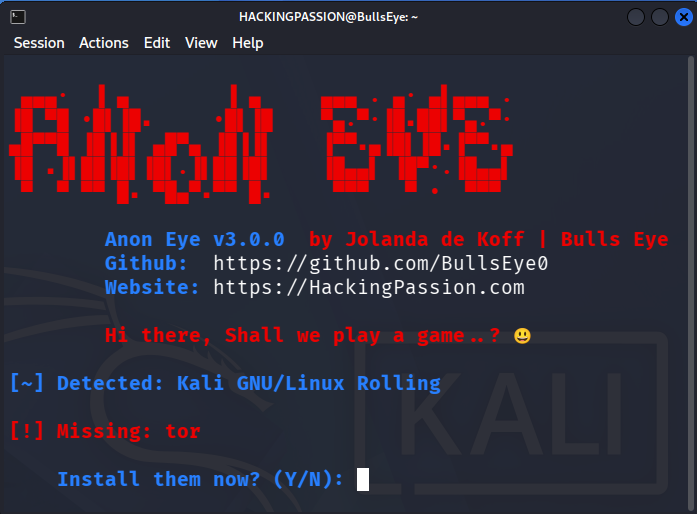
Say yes, wait, and the menu comes up.

Ten options and the exit. The first one does the work, the rest check what it did, change it, or put your machine back.
One key, and the machine is on Tor
Press 1 and watch the order the lines come in. That order is why a mistake in the Tor configuration cannot lock you out.
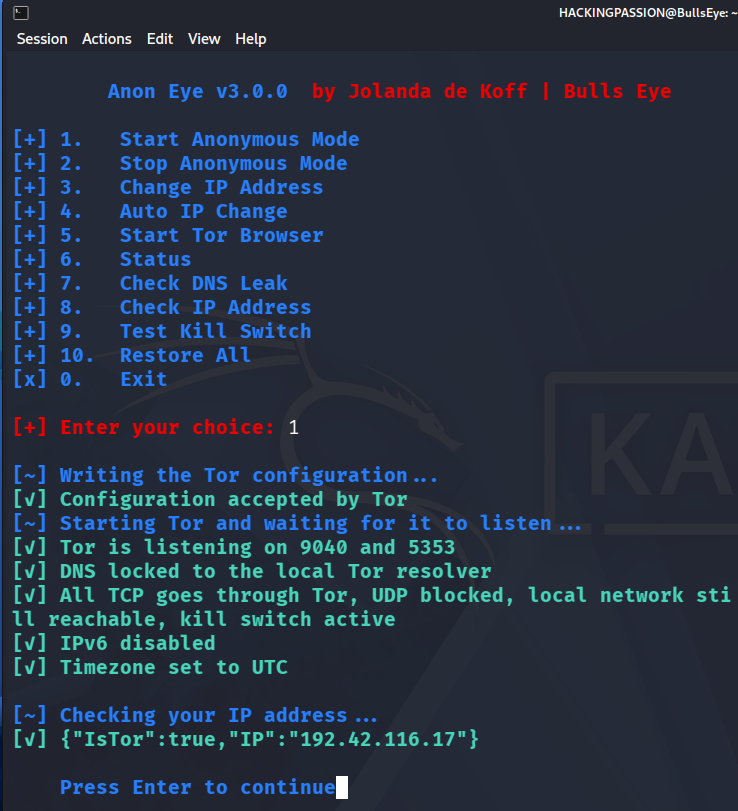
Your torrc is copied away before a single line is written. Then the configuration goes to Tor itself with --verify-config, and Tor decides whether it will run it. Says Tor no, then nothing on your machine has changed and you still have a way out. After that Tor restarts and the tool waits, up to thirty seconds, until something really listens on the TransPort and the DNSPort. Only then does anything on your machine change.
On Kali that is port 9040 for the redirected connections and 5353 for the name questions. Then come the DNS lock, the two chains, IPv6 off and the clock on UTC, in that order. The last line is the tool asking check.torproject.org what it sees. IsTor:true, and the address next to it belongs to an exit relay somewhere. It was never yours.
Your own network keeps working
Everything leaves through Tor, and your lab is the exception. Ask the router on your own network whether it is still there:
| |
| |
Under two milliseconds, so that packet never left your own network. The private ranges are handed back untouched, which is why the machines in your lab keep answering. They answer on their addresses and not on their names, because the names go out through Tor. Keep your gateway address at hand, ip route gives it.
Who answers your names now
A machine that sends its traffic through Tor and its name questions to the provider is not anonymous. Option 7 checks that here, on your own machine, without asking any website:
| |
127.0.0.1 is this machine, so it asks itself, and Tor is what listens there. The question leaves on the usual port 53, the rules send it on to Tor’s 5353, and from there it goes through a circuit before the answer comes back. That is slower than you are used to.
The kill switch, and proving it holds
A kill switch you have not tested is not a kill switch. Option 9 stops Tor for a moment, tries to get out twice, over TCP with curl and over ICMP with ping, and puts Tor back when it is done.
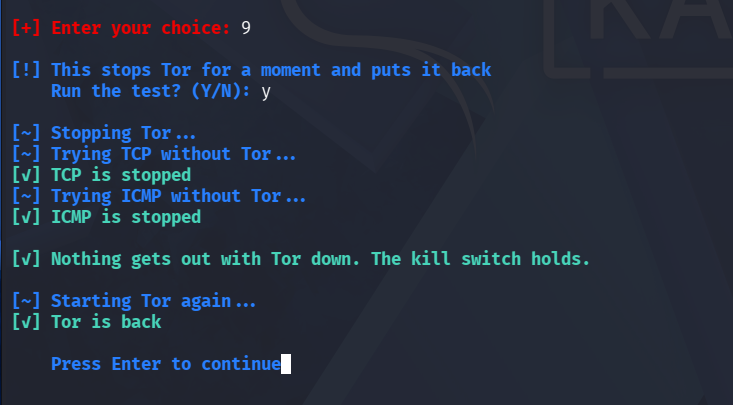
Both attempts have to fail. Gets one of them through while Tor is down, then your rules are not holding and you should not trust that setup. Does Tor not come back after the test, then Restore All cleans up.
One account is kept out of this on purpose: the user that runs Tor Browser. That one carries its own Tor and leaves directly, so the moment you have Tor Browser installed there, that user is the one way past the kill switch.
A different address, and another one after that
Option 3 asks Tor for clean circuits over the control port. It reads the control cookie from disk, authenticates, sends SIGNAL NEWNYM and waits for 250 OK. New circuits, and the client side DNS cache goes with them. A kill -HUP only reloads the configuration and does neither.
Option 4 does the same on a timer you pick yourself. Ten seconds is the floor, and typing less gets you ten anyway.
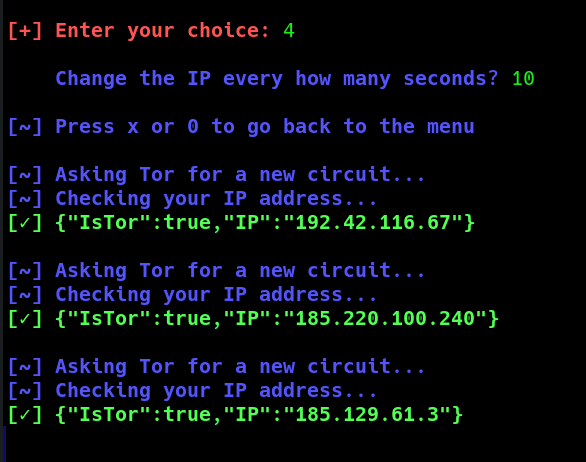
Asking faster buys you nothing, because Tor may hold that signal back. Connections that are already open keep the circuit they have.
The browser gets a user of its own
Option 5 runs Tor Browser as anonbrowser, an account of its own that is kept out of the redirect. Its TCP leaves directly and builds its own circuits next to the tunnel your machine uses, while its name lookups still go through Tor.
The first time it fetches the browser, and that takes a while. The download comes in through the tunnel, so your provider sees Tor traffic and not a browser being fetched. Once a minute you get a line with how long it has been busy, and after forty minutes it gives up.
Check it yourself once the window is up. Go to check.torproject.org in the browser and read the address, then press 8 in the terminal and read that one. The browser has its own way out, so those two addresses are almost never the same.
On Parrot it uses what is already there
Parrot comes with Tor set up, and its torrc already has the ports this tool needs. It reads them and leaves your file alone.
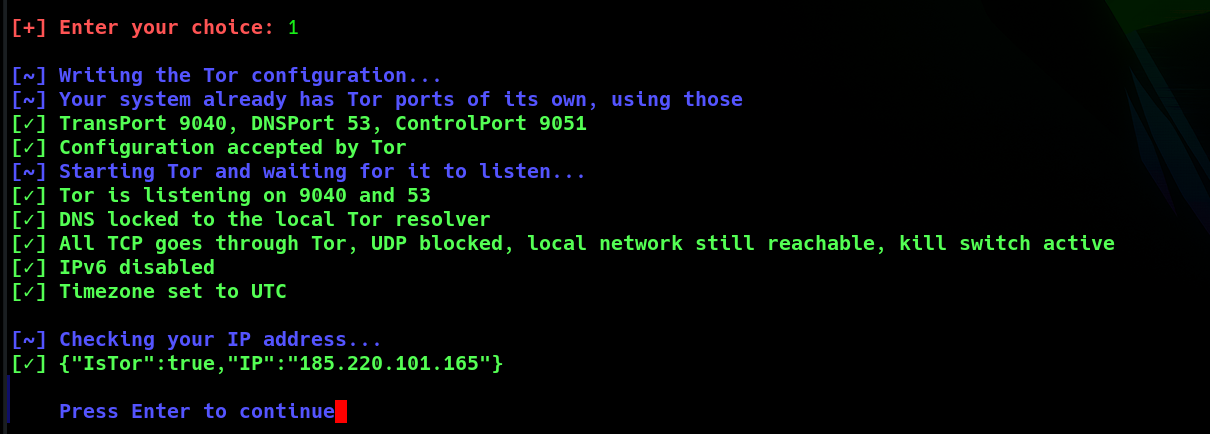
TransPort 9040, DNSPort 53, ControlPort 9051, and nothing of its own written anywhere. Look at your own file:
| |
| |
AutomapHostsOnResolve and the range above it are what make an onion address work. Ask for a name ending in .onion and Tor hands out an unused address from that range, and from there it knows where to take you.
Option 6 puts the lot on one screen:
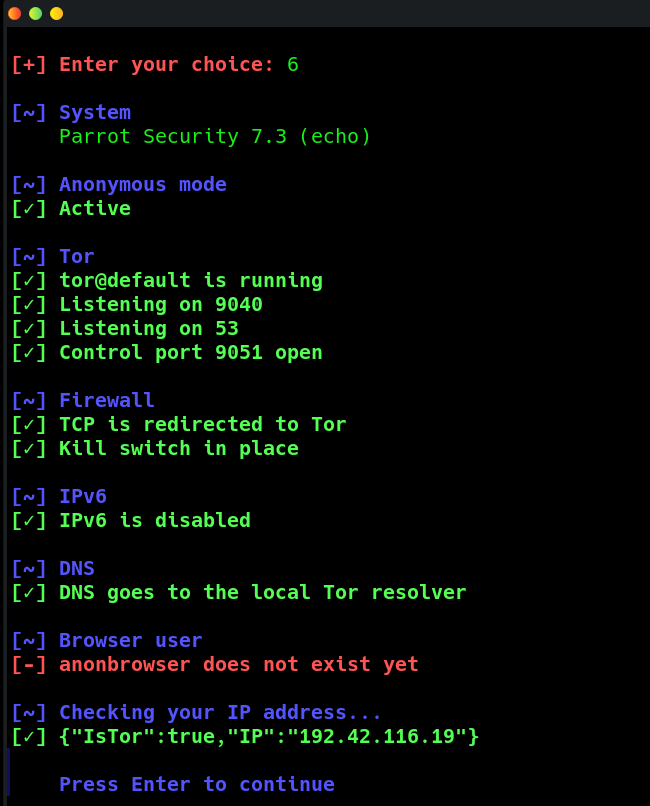
The service, the three ports, both chains, IPv6, your resolver, the browser user, and the address the far end sees. The port numbers here are not the numbers on Kali, and that is the tool reading a system instead of assuming one.
Putting it back
Option 2 takes it down again, the rules first, then your resolver, IPv6 and your clock.
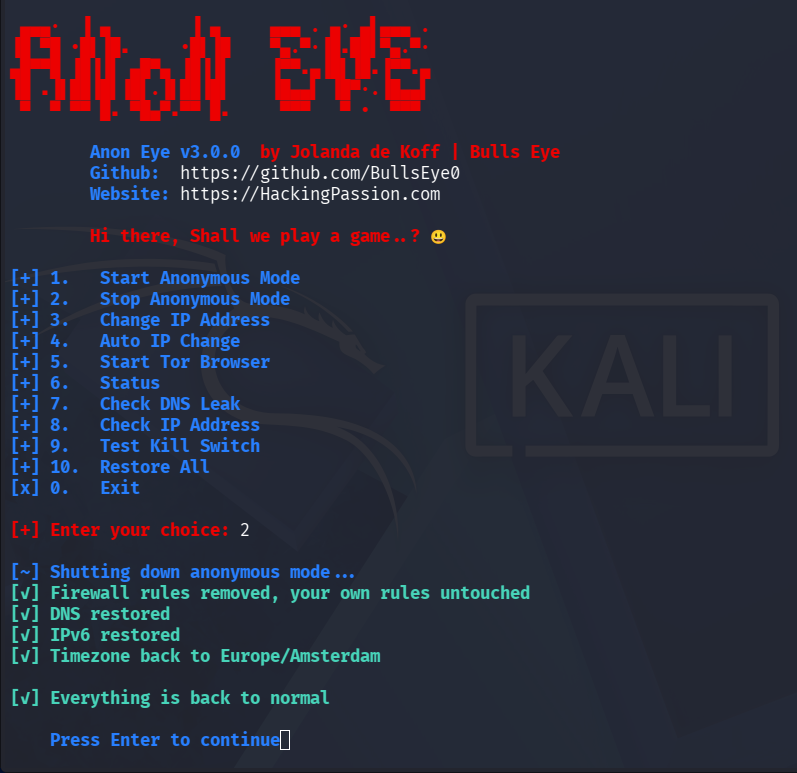
On Parrot one more line shows up: [v] Your own Tor configuration was never touched. The tool wrote nothing into that file at the start, so there is nothing to take out of it.
Three commands tell you where your machine stands now:
| |
| |
The OUTPUT chain holds its own policy again with nothing in front of it, and your clock is back on local time. The packet to Cloudflare goes out and comes back in about ten milliseconds.
For the day something goes wrong there is option 10, Restore All. Reboot with anonymous mode on and your firewall rules are gone while the marker the tool left behind is still in place. Start the tool and it sees that, says so, and cleans up what is left.
Between that reboot and the cleanup your name lookups do nothing, because your resolver still points at a Tor that is not listening. Run the tool once and that is over.
What it covers, and what is on you
It covers what leaves your machine. The TCP connections go into Tor, the names go with them, and IPv6 is down while it runs so nothing slips out that way. Tor stops and your traffic stops.
What you put inside those packets is yours. Log in to your own account through an exit relay in another country and that site knows exactly who arrived. Anon Eye moves your traffic and it says nothing about the name you type into a login form.
Linux only, because a transparent proxy needs the operating system to hand the packets over and that is what iptables does here. Tor’s TransPort has no counterpart on Windows. UDP stays outside the tunnel as well, apart from your name lookups, and those go to Tor’s own resolver.
One thing does not come back the way it was found: your IPv6 policies. While the tool runs, the ip6tables policies for INPUT, OUTPUT and FORWARD stand on DROP, and when you stop they go to ACCEPT. Did you set those yourself, then set them again afterwards. Reading them out first and handing them back exactly is on the list for a next version.
The tool is on GitHub: anon-eye
I send out a newsletter on Fridays with what happened in security that week: hackingpassion.com/newsletter
Have fun ..!
→ Join my complete ethical hacking course
Hacking is not a hobby but a way of life.
Stay updated
Get the latest posts in your inbox every week. Ethical hacking, security news, tutorials, and everything that catches my attention. If that sounds useful, drop your email below.